

Router or Switch: Which One Do You Need?
When building a home or office network, you are almost certain to come across two common devices: a router and a switch. But what exactly are they, and what are they used for?
At first glance, the two devices can often look similar. Both may have Ethernet ports and flashing LEDs, and both connect network devices. This makes it easy to assume that they do the same thing.
In reality, however, they serve different purposes.
The simplest way to put it is:
a switch connects devices within a local network, while a router directs traffic between different networks.
That may sound slightly theoretical at first, but a few everyday examples make the distinction much easier to understand.
What is a local network?
Before looking at the two devices, it is worth clarifying what a local network means.
A local area network, or LAN, is a group of devices connected to one another within a home, office or building.
A home network might include, for example:
- a desktop computer
- a laptop
- a smart TV
- a network printer
- a NAS
- several IP cameras
- mobile phones and tablets
These devices can communicate not only with the internet, but also with one another. A computer can, for example, copy files to a NAS or print using a network printer, while content from a mobile phone can be shared on a TV screen. In these cases, the devices communicate only over the local network and do not send data to the internet.
A switch plays an important role in managing this local communication.
What is a switch?
A switch, also known as a network switch, connects several wired network devices within the same local network.
Imagine a house containing:
- two computers
- a network printer
- a NAS
- a smart TV
- three IP cameras
These devices can communicate with one another if they are connected to the Ethernet ports on a switch. The switch then forwards data between them.
If one of the computers sends a file to the NAS, the switch ensures that the data reaches the NAS through the correct port.
How does a switch know where to send the data?
Every device that can connect to a network has what is known as a MAC address.
A MAC address is a hardware identifier used to distinguish devices on a local network. Importantly, MAC addresses are used only within the local network.
When data arrives at one of the switch’s ports, the device examines the MAC addresses of both the sender and the recipient. At the same time, it learns which physical port can be used to reach each MAC address.
It stores this information in an internal MAC address table.
Suppose that:
- a computer is connected to the first port
- a NAS is connected to the second port
- a printer is connected to the third port
If the computer sends data to the NAS, the switch does not forward it to every connected device. It sends it only to the port to which the NAS is connected.
This makes the network faster and more efficient.
Can a switch be used only with wired devices?
Devices are generally connected directly to a switch’s ports using Ethernet cables.
However, wireless devices can still join the network served by the switch. This requires a Wi-Fi access point, which connects to the switch by cable and then connects phones and laptops to the network wirelessly.
What is a router?
A router connects different networks.
In a home environment, it typically forwards data between the local network and the internet service provider’s network, in other words, the internet.
When we open a website, the data packets first travel from the computer or phone to the router. The router then forwards them towards the internet. While a switch allows our devices to communicate with one another, a router is also required for an internet connection.
A router is therefore like a traffic controller that selects routes between different networks.
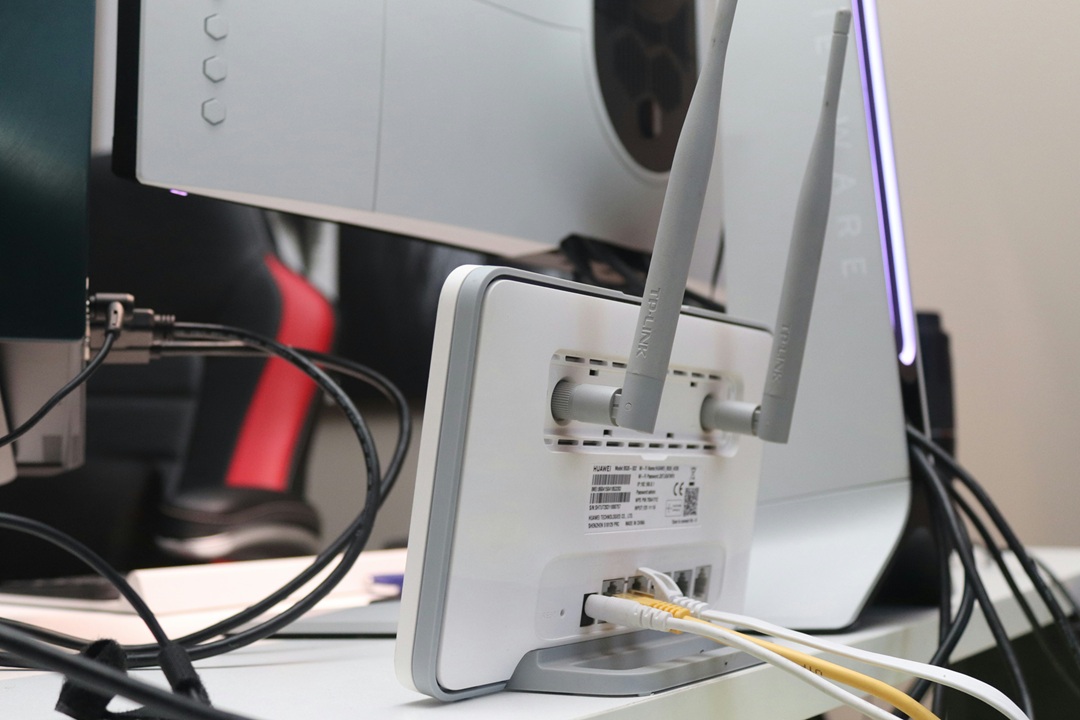
Many home routers have both a switch and a Wi-Fi access point built in, meaning the device can operate:
- as a router, providing internet access
- as a switch, allowing several devices to be connected to it; the switch ports on home routers are usually labelled LAN and may also be marked in a different colour
- as a Wi-Fi access point, broadcasting a Wi-Fi network
Because all three functions are combined in one device, the differences between them are less obvious.
Common misconceptions
“A switch distributes the internet connection”
Partly true.
A switch forwards data across the local network, allowing devices connected through it to reach the router and, through the router, the internet. However, it is the router that shares the internet connection and routes traffic between networks.
“A router and Wi-Fi are the same thing”
No. A router forwards data between networks, while a Wi-Fi access point provides a wireless connection.
They appear to be the same only because home devices often include both functions.
“You do not need a switch if your router has several ports”
A separate switch may indeed be unnecessary on a smaller network. However, if you run out of ports or use a large number of network devices, a switch can easily expand the wired network.
Summary
Routers and switches are both important network devices, but they do not perform the same task.
A switch connects computers, printers, cameras, NAS devices and other wired equipment within a local network. It primarily uses MAC addresses to decide which port the data should be forwarded to.
The simplest distinction is therefore:
- a switch connects devices within a local network
- a router forwards data between different networks
- home routers usually include a small switch and a Wi-Fi access point